SAND Raiders of Sophie: How to Refuel Trampler Reactor and Manage Engine Power

Powering and maintaining your Trampler in SAND: Raiders of Sophie requires refueling the reactor with Energy Rods, mastering nautical helm momentum, protecting vulnerable power cores, and performing emergency field repairs after firefights.
Trampler Reactor Core and Energy Rod Refueling
In SAND: Raiders of Sophie, starting the reactor gives your Trampler power for locomotion across the dunes. Inside the cockpit, a dedicated fuel indicator displays your current tank percentage alongside remaining driving time. When reserves run low, retrieve Energy Rods and insert them directly into the engine reactor to refuel. Beyond replenishing operating energy, loading an Energy Rod provides an immediate tactical speed boost, pushing the speedometer needle directly into the red zone up toward 70 km/h to catch fleeing targets or escape pursuers.

Engine Ignition and Nautical Helm Steering
Powering up your machine requires engaging the primary drive system: hold down F on the red engine lever for approximately 10 seconds to initiate locomotion. Piloting operates under nautical steering mechanics like a vessel at sea. Rotating the steering wheel one notch slowly turns the chassis in that direction, while turning two notches turns the machine faster. If you step away from the helm, the walker continues turning autonomously until an operator manually rotates the wheel back to center. Use the W key to shift forward into first and second gear, S to halt or reverse, and Q and E to strafe sideways when maneuvering through rugged terrain — navigating safely between outposts or heading toward Storm Drive zones to find the Dreadnought.

Reactor Defense and Core Vulnerabilities
The reactor module is the heart and soul of your walker; if hostile fire breaches the compartment and destroys the reactor, your machine detonates and your run is over. Combat updates grant all reactors 50% more health, but shooting at the back of the reactor deals critical damage. Keep your reactor protected during engagements by facing the rear panel away from enemy artillery. Active reactors emit heavy black smoke visible across long distances, though drivers can turn power off to hide strategically. To mitigate incoming artillery, construct stairs and defensive compartments wrapped entirely around the reactor housing to absorb explosive splash damage.
Field Damage Inspection and Compartment Repairs
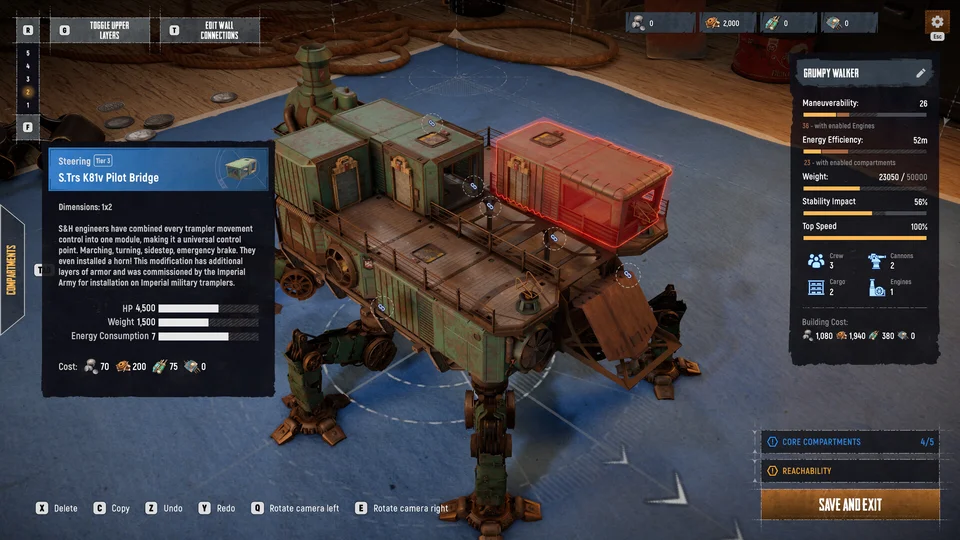
Compartments and reactor housings redden visibly as they lose health points under fire. Operators can deploy a free handheld maintenance implement by tapping T or selecting it from the radial gear menu to patch damaged red pipes, metal plates, and circuit boards during combat. Monitor the four articulated chassis legs closely: each leg possesses an independent health pool, and taking damage heavily reduces movement speed. Repairing broken legs requires bringing the walker to a complete halt. When an entire compartment is destroyed, apply a reloadable Repair Kit powered by Repair Kit Fuel dropped from defeated Ironclads to fully reconstruct the module — keeping your walker operational until reaching an evacuation point in our extraction guide.